
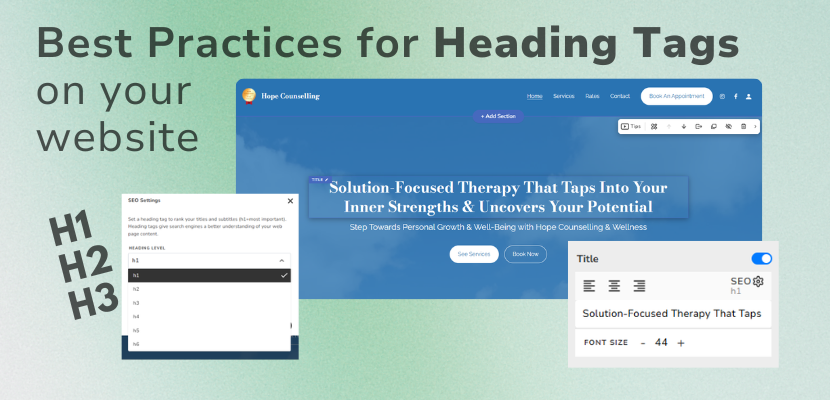
If you’re looking for a quick and practical way to improve your website’s SEO, optimizing your heading tags is one of the easiest changes you can make.
The Website.com site builder allows you to assign HTML heading tags (H1, H2, H3, and so on) to your titles and subtitles. These tags help define the hierarchy of your content and play an important role in helping search engines understand your page structure.
Here’s how to use them effectively.
Use Only One H1 Tag Per Page
Your H1 tag (Heading 1) should represent the main topic of your page. In most cases, every page should have only one H1 tag.
Having multiple H1 tags can make it more difficult for search engines to identify the primary focus of your content. Your H1 should also include your primary keyword whenever it fits naturally.
For example, the main title in your website’s hero or welcome section is typically the best place for your H1 tag.
Organize Your Content with H2 Tags
H2 tags are used for your main section headings. Think of them as the chapters of your page.
Each major section should have its own H2 heading, helping both visitors and search engines understand how your content is organized. H2 headings are also a great place to include relevant secondary keywords.
Unlike H1 tags, there’s no limit to the number of H2 tags you can use. The key is to ensure they accurately reflect the structure of your page.
Use H3 Tags for Supporting Content
When a section contains additional topics or supporting information, H3 tags help create another level of organization.
For example, if you have a section title set to H2, a subtitle for that section title can be set to H3. You can also use H3 for subsection titles.
This hierarchy makes your content easier to read and creates a clear relationship between headings and subheadings.
Why Heading Tags Matter
Using heading tags correctly offers several important benefits:
Improves SEO: Search engines use heading tags to better understand the topics and structure of your page.
Creates a better user experience: Well-organized content is easier for visitors to scan and read.
Supports accessibility: Screen readers rely on heading tags to help visually impaired users navigate webpages more efficiently.
A Small Change That Makes a Big Difference
Optimizing your heading tags only takes a few minutes, but it’s one of those simple on-page SEO improvements that can have lasting benefits.
As you build or update your website, make sure each page follows a clear heading hierarchy:
One H1 for the main page title
H2 tags for major sections
H3 tags for subsections when needed
This straightforward structure helps search engines understand your content, improves accessibility, and makes your website easier for visitors to navigate.
Small SEO improvements like this can add up over time, and heading tags are a great place to start.
Watch this video to watch us put these heading tag best practices into action.